How to Use Your Kindle Device for Easy Editing

Editing is a daunting and necessary task for writers. Often I find myself reading and re-reading a piece until the words blur. I let the story rest, read it aloud, and run it through editing programs, but after so many times, it’s easy to become immune to errors that may be glaring to our readers.  I have, however, discovered a trick that helps me avoid overlooking mistakes – I send the piece to Kindle.

As I listen to the mechanical voice read my work, I’m amazed at the things I missed or new aspects I notice. It might be grammar errors, the way a sentence flows, or even story continuity; yet, this simple technique provides me with a different perspective. Highlighting the things I want to change with notes and comments, I can then return to my manuscript and make the necessary corrections.

How to Send to Kindle:

The these easiest way to do this is to use the Send to Kindle App.

Sign up or sign in to your Amazon Account. sendto-Kindleapp-compressor

1. Add you Kindle device to your account if you haven’t already.

2. Your device will automatically associate with a Kindle email: @kindle.com. You can find this email by going to the Manage my content and Devices and click on your device. Remember, you will need to use the email account associated with your Amazon account.

3. Download the Send to Kindle App. I keep my app on the dock for easy access.

4. Take your WORD, PDF, or Mobi file and drop it onto the app. Minutes later, the document will appear on your Kindle.

5. Use Notes and Comments to highlight issues. Press and hold the word, text, or an image to create notes or comments for use in editing.

There you have it, an easy way to edit via your Kindle. Have you found a method to make editing easier? Share with us.

I’d love to hear your comments. Talk to me. Tell me your story and look for me on Facebook at SheilaMGood,  PinterestBloglovinTwitter@sheilamgood, Contently, and Instagram. You can follow my reviews on Amazon and Goodreads.

No Wasted Ink Writer’s Links

Need help finding the best conflict of your story? Check out Wendy’s list of resources.


How to Ask for Book Reviews


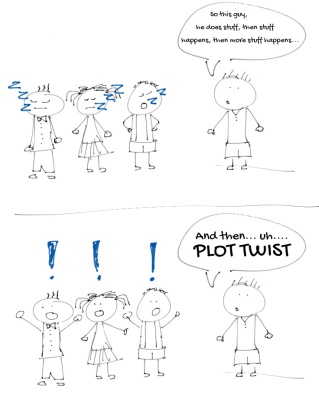
Plot-Twist-cartoon

Heather Jackson at WriteOnSisters.com/

For every book I read, I leave a review on both Amazon and Goodreads. It’s important to let authors know the things we liked or didn’t like about their book.


I’m by no means, one of the top 100 Amazon Reviewers, but recently requests asking for a review has increased; most of the time, I try to help out a fellow writer, but it’s becoming more difficult as I try to focus on my current work in progress (WIP).

If you visit my Amazon page, you’ll find my reviews are, by far, on books I’ve chosen to read – for pleasure, on the craft of writing, research, or non-fiction books of interest. If you check out my blog or Bio, you can tell my preferred genre.

I’ve noticed in a few of the requests I’ve received; the author has not done the necessary ‘homework’ to find the best reviewer for their genre, and I think that’s important. Asking a fantasy author to review my crime novel is not going to get me the review I hope to receive.

So, it thrilled me to read the guest post from one of Amazon’s top reviewersGisela Hausmann over at C.S. Lakin’s, Live, Write, Thrive.

In her post, Ms. Hausmann discusses, The 5 Most Common Mistakes Writers Make When Seeking Book Reviews. If you’re looking for someone to review your book, Gisela Hausmann’s guest post is worth reading and making notes.

What do you think? Do you offer reviews? What has been your experience?  I’d love to hear your comments. Talk to me. Tell me your story and look for me on Facebook at SheilaMGood,  PinterestBloglovinTwitter@sheilamgood, Contently, and Instagram. You can follow my reviews on Amazon and Goodreads.


Maybe Another Word for Indecision

The Daily Post Prompt: Write a new post in response to today’s one-word prompt. Maybe   images-3-min

Don’t you hate it when someone puts you on the spot with an unexpected invitation? I do and like many people tend to fall back on the old reliable, “Maybe.”

It’s a word (answer) we believe will help get us out of making a decision or a commitment we’re certain, in the back of our minds, we aren’t, can’t, or won’t  keep. We don’t want to hurt feelings so,  “Maybe” gives us a way out. Only, it’s not a way out; it’s indecision.

“Decision is a sharp knife that cuts clean and straight. Indecision a dull one that hacks and tears and leaves ragged edges behind it.” Gordon Graham Tweet this

Now, I’m not preaching to the choir or holding myself up as a decision guru. When I worked, my decisions were quick and decisive, but take me out to dinner and this is what my decisions look like.”Maybe” has be2011-05-10-at-a-restaurant-minen my fall guy for many years.

“Maybe” has been my fall guy for many times. But, here’s the thing, it also leaves jagged edges behind.

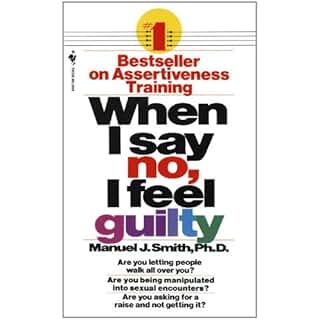
Invitations stop, projects lay unfinished, and feelings are hurt. As I’ve gotten older, I do my best, to be honest with myself and say, “no” instead of “maybe.”  It isn’t always easy, but I have encouragement from one of my all-time favorite resources – a book by Manuel J. Smith, Ph.D.

When I say no, I feel guilty.  Since the day I discovered this book, I have kept it close by for easy access and referral. The very from page includes a Bill of Assertive Rights.

“You have the right to say, really No, without feeling guilty.” Manuel J. Smith Ph.D. Tweet this

The next time you’re tempted to say “maybe” want to say, “No” – be true to yourself; you have that right.

I’d love to hear your comments. Talk to me. Tell me your story and look for me on Facebook at SheilaMGood,  PinterestBloglovinTwitter@sheilamgood, Contently, and Instagram. You can follow my reviews on Amazon and Goodreads.