I’m No Tolstoy

As a fan and user of the software Grammarly, I look forward to receiving my weekly progress report. It’s like being in high school again. I’m not graded, thank God, but the report does provide insight and includes my longest writing streak, productivity, accuracy, vocabulary, and top three writing mistakes.

Can you guess the mistake that always appears?  You got it! The first time the comma isn’t listed – we’ll celebrate with virtual champagne! Okay, not sure how that would work, but I’ll toast you while I enjoy a glass or two.

This week’s progress report noted I was 97% more productive than other writers. I read that twice, 97 %? My first thought was, who’s using my account? And, the second thought was, where’s the evidence? Cause damned if I can find all that productivity.

Then they gave me this little nugget. 7 weeks of active writing? Tolstoy? War and Peace? Somebody was sipping the bottle.

Regardless, it was inspiring. You, my friends, my fellow fence jumpers, may be reading a post from the next Tolstoy! Or, not.


 I’d love to hear your thoughts on the subject. Join the conversation. Talk to me or tell me your story. I’m all ears.

Are Your Commas in the Wrong Place?

images-12One would think with years of education stored in my brain I would have conquered sentence structure and those damnable commas – I haven’t. If you’ve been following my blog, you may remember I wrote about this some time ago in Confessions of a Comma Whore.

Recently, I had the opportunity for an editor to review the first chapter of my novel. I was pleased with his comments and surprised to see only a few red marks on the pages.

Here’s some of what he had to say:

“You need to review participial phrases, which is quite a common mistake. Additionally, I recommend learning about restrictive VS nonrestrictive phrases, which will help you better place a few troublesome commas.”

Well, Hells Bells! It looks as if those damn commas will haunt me till I die. Thank God for editors. Forgive me if I’m insulting anyone’s intelligence but I thought I’d review these “quite common mistake’s.”

Participial Phrases

participle is a verb used as an adjective, and they end in – ing, d, t, or n.

An example: Barking dogs (Bark = verb)

A participial phrase is a group of words containing the participle and any complements or modifiers.

xbasic_diagram_participial_phrase.jpg.pagespeed.ic.QxRA8-JccHThanks to Grammar Revolution, here’s how a participle phrase looks diagrammed:

Restrictive versus Nonrestrictive Clauses

restrictive clause is part of a sentence that explicitly restricts the noun.

Dogs that jump on people annoy me.

The words “that jump on people” restrict the kind of dogs I find annoying. Restrictive clauses do not require commas.

A nonrestrictive clause provides additional information but when left out doesn’t change the meaning of the sentence.

My, fluffy white, Bichon Frisé is a lap dog.

Removing the words “fluffy white” doesn’t alter the meaning of the sentence. It just provides more information. Non-restrictive clauses require commas.

I did well in college. English was one of my favorite subjects. The fact that commas remain my nemesis can only be explained in one of two ways – This Southern gal likes to write the way she talks, or my brain cells just aren’t what they used to be.

Many thanks to James from Storymedic for his feedback and encouragement.

“… very minor corrections. I could immediately tell that you possess a more developed craft, well beyond average.”

Want to know more about those pesky participles and clauses? Check out these resources:

  1. Grammar Revolution (Diagram it)
  2. Grammar Girl: Quick and Dirty Tips
  3. The Elements of Style by Strunk and White
  4. English Plus
  5. Purdue Owl Online Writing Lab
  6. The Grammarly Handbook

Do you still struggle with certain grammar issues? I’d love to hear your comments. Talk to me. Tell me your story and look for me on Facebook at SheilaMGood,  PinterestBloglovinTwitter@sheilamgood, Contently, and Instagram.

Editing Made Easy – 7 Free Tools for the Writer

Day 5: 

images

pinterest.com

One of the most annoying, time-consuming and necessary aspects of writing is editing.

For me, after writing a piece, I find it difficult to spot all the things I might need to revise or eliminate.

Because I can’t afford to hire an editor for every short story or chapter I write, I use editing tools available to me via software downloads.

Each tool has pros and cons, and it’s worth repeating, no software can take the place of a good pair of editing eyes, but it’s a start and a good resource to have at your fingertips.

My top 7 Free Editing Tools

  1. Hemingway App – assesses the number of adverbs, complex words, passive voice, and readability.
  2. ProWritingAidprovides analysis, identifies overused words, sentence length, redundancies, clichés, plagiarism, consistency, and writing style.
  3. EditMinion – one of my favorite, uncomplicated tools. It checks for weak and overused words, passive voice, adverbs/prepositions, homonyms, and more.
  4. Word & Phrase Frequency Counter: This tool does exactly what it says, counts the number of time you use a word or phrase.
  5. Readability Score – indicates reading ease, grade level, text statistics, and keyword density.
  6. Cliché Finder – afraid you might have used a cliché or two? Identify them with this handy tool.
  7. The Writer’s Diet Is your writing flabby or lean? This simple, automated feedback tool provides a quick look at some of the sentence-level grammatical issues which weigh writing down.

My top 3 Paid Editing Tools 

  1. GrammarlyEnhances clarity and meaning, identifies most writing errors, vocabulary enhancer, contextual spelling checker, and offers a Safari extension. A little pricey for the premium plan @ $139.95/yr. – a monthly and quarterly plan is also available ranging from 29.95/mo. – $59.95/quarterly.
  2. GingerBasic- $ 61.20/yr. – Offers a browser extension, unlimited grammar checker, translations, and definitions. An upgrade to $111/yr. will give you sentence rephrasing, analysis of mistakes, text reader and more. The software is available on a month-to-month basis ranging from $8.30 -$14.60/month.
  3. AutoCrit – An online manuscript editing tool specifically for fiction writers. Ranging from $60 – $144/yr. This tool provides analysis in 25 areas in your work, highlights key elements, fiction style errors, repetition, pacing, word choice, and a comparison of your manuscript to published fiction.

There you have it, my favorite editing tools. Although it will never replace a good set of eyes, any one of these will make the process of editing easier, faster, and smoother.

I’d love to hear your comments. Talk to me. Tell me your story. You can find me on Facebook at SheilaMGood,  PinterestBloglovinTwitter@sheilagood, and Contently.

Confessions of a Comma Whore

Do you have a grammar sin? You know, that one irritating grammar rule, you consistently get wrong. Well, I do. I’m a comma whore.  I tend to place commas the way I speak and not according to accepted grammar rules.

I first wrote about this issue in 2012 and since that time believed  I’d conquered that grammar demon (for the most part). Unfortunately, I’m sad to report, she’s reared her ugly head again and in the most  humiliating way.

I’m in the process of publishing a collection of short stories and when I received feedback from my editor, I almost fainted (not really). The comma whore had dance all through those stories as if designing a roadmap.

Needless to say, I had revisions to do. In the spirit of helping others who suffer with me, here are some helpful resources. Beyond that, it might take counseling.

Resources for the Comma Challenged:

Strunk & White’s, The Elements of Style is the number one grammar book recommended for writers everywhere. The Kindle edition available on Amazon for free.

Want something more? Check out the power point presentations from Guide to Grammar and Writing. Here you can find everything you need to bone up on your grammar.

Available on Kindle: $9.99

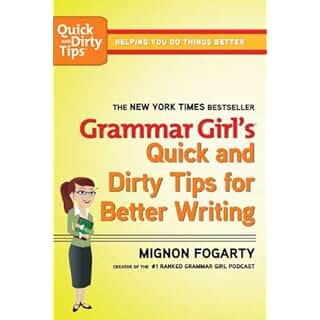
I had the pleasure of winning a copy of the book, Grammar Girls Quick & Dirty Tricks For Better Writing, from 101Word.org. Thanks, Shannon and I encourage all of you to check out the stories shared at 101 Words.

And finally, don’t forget about the software editing tools that are available.

Grammarly 

  • About: Corrects over 250 types of grammatical mistakes,  catches contextual spelling errors, poor vocabulary usage, and enhances clarity and meaning.
  • An automated proofreader and grammar coach.
  • Windows compatible.
  • Can be downloaded as an office add-in to your WordPerfect.
  • Now fully compatible with Mac computers.
  • Offers a browser extension for Safari, Chrome, and Firefox browsers.
  • Desktop App
  •  Cost/Membership:  $29.95/month; $59.99/quarter, and $139.99/annual.

EditMinion

  •  About: A copy editor that helps refine your writing. A copy and paste Beta program, it is word limited.
  • What it Does: Identifies common mistakes, such as adverbs, passive voice, weak words, ‘said’ replacements, ending with prepositions and often-misplaced words.
  • Cost/Membership: Free 

Writer’s Diet:  Is your writing flabby or lean?

  • About: Designed by Helen Sword, this program evaluates writing samples of   100-1000 words.
  • What it Does: Looks at each category: verbs, nouns, adjectives/ adverbs, prepositions, and waste words (is, that, this, there) and scores the work from lean – to heart attack.
  • Cost/Membership:  A great, free tool!

So, there you have it. This comma whore is headed to school.What about you? Do you have a grammar sin?

I’d love to hear your comments. Talk to me. Tell me your story and look for me on Facebook at SheilaMGood,  PinterestBloglovinTwitter@sheilagood, and Contently.