What’s In a Name?

whats-in-a-namehurrah-10Do you always name the characters in your stories?

I’m not talking about the character who passes through a story or scene, but main characters.

Although I have a couple of novels in the works; I also write flash fiction and on occasion my characters remain nameless.

Suzanne Vincent, the Editor-in-Chief at Flash Fiction Online, doesn’t like the idea of nameless characters. In fact, I think she said it made her roll her eyes – a language I understand well. 

She made some good points, and her comments got me to thinking about my stories. I appreciate Ms. Vincent’s candor. It’s rather nice to have an editor share a perspective from the other side of submissions.

In her article from the Slushpile Avalanche: Why You SHOULD Name Your Main Character, she discusses why she rejects and dislikes a story with unnamed characters. You can read her post here.

 “… not naming a main character in a story makes very little sense to me.  And if you’re just doing it for the hell of it–if you don’t know WHY you’re doing it–you shouldn’t be doing it at all.” Suzanne Vincent

I imagine Ms. Vincent has most likely rejected one of my stories but does every editor feel the same way about names? Typically, I agree with what she had to say; especially with longer stories or novellas. But, what about flash fiction? Does the genre make a difference? For me, I think it does. I’ve written stories without naming the characters and I did so precisely because of the story.

For example, in one of my stories a serial killer preys on lonely women. I did not name either the killer or his victim and here’s why – the point of the story was the random act of a killer and his nameless prize. Here’s an excerpt from Maybe Next Time – you be the judge.

“He couldn’t take his eyes off her. Confidence and sexuality draped her curves like a second skin. Men flocked to her side, but she turned them away; it pleased him. He liked a discriminating woman. Maybe, this time could be different.

He waited for the perfect moment before making his move. There it was — the downward shift of downcast eyes. It didn’t take long for her to respond; it never did. He had his approach down to a science. The right suit, subtle cologne and brief penetrating eye contact worked every time.

A nervous smile parted her red lips. He stood as she slid from the stool and walked toward his table. Ever the perfect gentleman, he pulled out her chair and smiled. They always took the bait.

Like every fucking woman out to catch a first-class meal ticket, she thought he was hers; it’d be a crime to let her think otherwise.” From Maybe Next Time.

What do you think? Do you agree with the editor? Are there exceptions? Give me your thoughts. Do you always name your characters?

I’d love to hear your comments. Talk to me. Tell me your story and look for me on Facebook at SheilaMGood,  PinterestBloglovinTwitter@sheilamgood, Contently, and Instagram. You can follow my reviews on Amazon and Goodreads.

How to Use Your Kindle Device for Easy Editing

Editing is a daunting and necessary task for writers. Often I find myself reading and re-reading a piece until the words blur. I let the story rest, read it aloud, and run it through editing programs, but after so many times, it’s easy to become immune to errors that may be glaring to our readers.  I have, however, discovered a trick that helps me avoid overlooking mistakes – I send the piece to Kindle.

As I listen to the mechanical voice read my work, I’m amazed at the things I missed or new aspects I notice. It might be grammar errors, the way a sentence flows, or even story continuity; yet, this simple technique provides me with a different perspective. Highlighting the things I want to change with notes and comments, I can then return to my manuscript and make the necessary corrections.

How to Send to Kindle:

The these easiest way to do this is to use the Send to Kindle App.

Sign up or sign in to your Amazon Account. sendto-Kindleapp-compressor

1. Add you Kindle device to your account if you haven’t already.

2. Your device will automatically associate with a Kindle email: @kindle.com. You can find this email by going to the Manage my content and Devices and click on your device. Remember, you will need to use the email account associated with your Amazon account.

3. Download the Send to Kindle App. I keep my app on the dock for easy access.

4. Take your WORD, PDF, or Mobi file and drop it onto the app. Minutes later, the document will appear on your Kindle.

5. Use Notes and Comments to highlight issues. Press and hold the word, text, or an image to create notes or comments for use in editing.

There you have it, an easy way to edit via your Kindle. Have you found a method to make editing easier? Share with us.

I’d love to hear your comments. Talk to me. Tell me your story and look for me on Facebook at SheilaMGood,  PinterestBloglovinTwitter@sheilamgood, Contently, and Instagram. You can follow my reviews on Amazon and Goodreads.

Procrastination: There’s an App for That

9ce2ef07-3537-4422-b7d0-d20142fcdf33_zpsxmohyn1a-compressorDo you have a project you’ve been working on since Edison invented the light bulb? You want to get to the finish line but for some reason, you haven’t.

I know, it’s the hours in the day ( they haven’t changed), the retired husband (I sympathize), the grandkids, laundry, HBO (had to catch up), Twitter, Facebook, or any number of excuses we come up with to justify not reaching the finish line.

“I have not failed. I’ve just found 10,000 ways that won’t work.” Thomas Edison
Tweet this

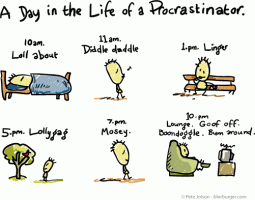
toon_procrastinator-compressor

Procrastination is one of those insidious things that – surprise, surprise, do not get better with age. But, cheer up – there’s an app for that!

Thanks to Amy Rolph from Unstuck Advice, we can now have a digital monitor. The Unstuck app helps identify the type of procrastination you’re exhibiting and offer solutions.

Are you a drifter, deflated doer, waffler, perplexed planner, avoider, or just a fuzzy forecaster? Check out the Unstuck App to find out, and get the project completed!use_unstuck_btn-compressor

I’d love to hear your comments. Talk to me. Tell me your story and look for me on Facebook at SheilaMGood,  PinterestBloglovinTwitter@sheilamgood, Contently, and Instagram. You can follow my reviews on Amazon and Goodreads.

Self-Editing: Fighting Emotion with Logic

An excellent post on self-editing with practical advice. Thanks to the quintessentialeditor.

Corey Truax's avatarCorey Truax

cute kitten.jpg Please don’t sacrifice me to the writing gods…

You’ve written your book.  The masterpiece has been marinating in a drawer (or buried on a hard drive) for weeks.  Somehow, you managed to not tear into it early, despite it whispering into your ear at night.  Let’s face it, you both needed some time and space from one another.  Good job.  The time has come though.  You unlock the drawer or double click that icon and staring you in the face is months worth (maybe more) of neatly typed words. The manuscript gazes back at you with worried eyes.  It knows.  You are about to tear it to pieces.  The question is; will you tear yourself to pieces in the process?

Many people think writing a book is the hardest thing you can do.  Then an editor comes along and breaks your heart.  As an editor, telling a writer…

View original post 1,087 more words