How to Use Your Kindle Device for Easy Editing

Editing is a daunting and necessary task for writers. Often I find myself reading and re-reading a piece until the words blur. I let the story rest, read it aloud, and run it through editing programs, but after so many times, it’s easy to become immune to errors that may be glaring to our readers.  I have, however, discovered a trick that helps me avoid overlooking mistakes – I send the piece to Kindle.

As I listen to the mechanical voice read my work, I’m amazed at the things I missed or new aspects I notice. It might be grammar errors, the way a sentence flows, or even story continuity; yet, this simple technique provides me with a different perspective. Highlighting the things I want to change with notes and comments, I can then return to my manuscript and make the necessary corrections.

How to Send to Kindle:

The these easiest way to do this is to use the Send to Kindle App.

Sign up or sign in to your Amazon Account. sendto-Kindleapp-compressor

1. Add you Kindle device to your account if you haven’t already.

2. Your device will automatically associate with a Kindle email: @kindle.com. You can find this email by going to the Manage my content and Devices and click on your device. Remember, you will need to use the email account associated with your Amazon account.

3. Download the Send to Kindle App. I keep my app on the dock for easy access.

4. Take your WORD, PDF, or Mobi file and drop it onto the app. Minutes later, the document will appear on your Kindle.

5. Use Notes and Comments to highlight issues. Press and hold the word, text, or an image to create notes or comments for use in editing.

There you have it, an easy way to edit via your Kindle. Have you found a method to make editing easier? Share with us.

I’d love to hear your comments. Talk to me. Tell me your story and look for me on Facebook at SheilaMGood,  PinterestBloglovinTwitter@sheilamgood, Contently, and Instagram. You can follow my reviews on Amazon and Goodreads.

Procrastination: There’s an App for That

9ce2ef07-3537-4422-b7d0-d20142fcdf33_zpsxmohyn1a-compressorDo you have a project you’ve been working on since Edison invented the light bulb? You want to get to the finish line but for some reason, you haven’t.

I know, it’s the hours in the day ( they haven’t changed), the retired husband (I sympathize), the grandkids, laundry, HBO (had to catch up), Twitter, Facebook, or any number of excuses we come up with to justify not reaching the finish line.

“I have not failed. I’ve just found 10,000 ways that won’t work.” Thomas Edison
Tweet this

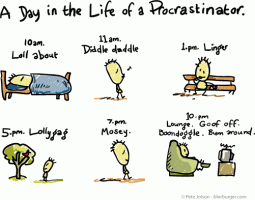
toon_procrastinator-compressor

Procrastination is one of those insidious things that – surprise, surprise, do not get better with age. But, cheer up – there’s an app for that!

Thanks to Amy Rolph from Unstuck Advice, we can now have a digital monitor. The Unstuck app helps identify the type of procrastination you’re exhibiting and offer solutions.

Are you a drifter, deflated doer, waffler, perplexed planner, avoider, or just a fuzzy forecaster? Check out the Unstuck App to find out, and get the project completed!use_unstuck_btn-compressor

I’d love to hear your comments. Talk to me. Tell me your story and look for me on Facebook at SheilaMGood,  PinterestBloglovinTwitter@sheilamgood, Contently, and Instagram. You can follow my reviews on Amazon and Goodreads.

The Benefits of Making To-Do Lists

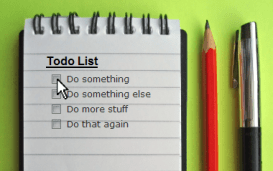
20071126-todo-listI realize it has been more than a week since my last post and I apologize to my readers.  An unexpected hospitalization took me out of commission. Although I’m better, I’m  not quite back to full speed. So, today’s post is one I wrote a while back in response to a prompt on lists. Enjoy.
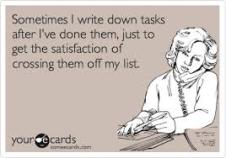
For those close to me, they know I love lists. I’ve been a list-maker as long as I can remember. There’s something innately satisfying about striking through or checking off a task.

The types of lists are limitless. Grocery, spring cleaning, Christmas shopping, books to read, stories to write, blog posts, bucket list, and the, ever helpful, pros and cons list.

Shortly after we married (second marriage for both of us), I discovered a pros and cons list my husband had begun when we started dating! Obviously, the pros won out and 23 years later, we often pull it from its place of safekeeping and enjoy a good laugh. There are many benefits to making lists, including finding Mr. or Mrs. Right.

Photo courtesy of homeonderanged.com & GoogleBenefits of List Making

Our world is often a whirlwind of busyness. In the rush to meet everyone’s needs, we often forget important appointments or feel overwhelmed with to-do tasks.  Lists help:

  1.  Keeps us on track.
  2. Prioritize, and create a plan of action.
  3. Provide accountability.
  4. Establish goals
  5. Reduces Stress

It’s not always about staying on track. Sometimes it’s about clearing the cobwebs of our mind.  Stress-relief is one of the major benefits for list making. With each check mark or line crossed through a task, there is an incredible sense of accomplishment and in some cases, relief. Reduced stress means more Zzz’s and a clearer mind. And, trust me, I need all the help I can get in that department.

Want more information on the benefits of list making? Check out The List Producer.

Having a list at our disposal has never been easier. We all have cell phones and there are numerous Apps we can utilize. I’m partial to the Reminder App and Sticky Notes.

Want to explore the best Apps for list making? You can check out, Forbes – The 9 Best To-Do List Apps for 2014.


Are you a list maker? What are your favorite lists?

I’d love to hear your comments. Talk to me. Tell me your story. And as always, you can follow me on Facebook at SheilaMGood and  Twitter @cofcmom.